
Why Nanite Changed Environment Creation in Unreal Engine 5
Jul 30, 2026
Nanite is one of the biggest reasons environment creation feels different in Unreal Engine 5.
Before UE5, environment artists had to constantly think about polygon budgets, LODs, normal maps, draw calls, and how much geometry a scene could realistically handle. Every rock, wall, cliff, ruin, statue, and architectural piece had to be planned around performance limits.
That workflow still matters. But Nanite changed the balance.
Nanite is Unreal Engine's virtualized geometry system. Instead of relying only on traditional manually created LODs, Nanite uses its own internal mesh format and renders only the detail that is needed for the current view. Epic describes it as a system designed to render pixel-scale detail and high object counts while doing work only on the visible detail.
For environment artists, that is a major shift.
It means you can use much more detailed meshes in your scenes without building the same asset pipeline around constant polygon reduction. A cliff can keep real surface detail. A ruined wall can keep broken silhouettes. A scanned rock can stay close to the original geometry. A statue, column, or architectural ornament can hold its shape without depending entirely on normal maps.
That does not mean optimization disappeared.
It means the optimization problem moved.
In older workflows, artists often spent a lot of time asking:
"How low-poly does this asset need to be?"
With Nanite, the better question is:
"Where does real geometry actually improve the scene?"
That is the key difference.
Nanite is not just about using more triangles. It is about using geometry where geometry improves the result. Silhouettes, chipped edges, close-up surfaces, cliff faces, ruins, photogrammetry assets, large modular pieces, and detailed props can all benefit from real mesh detail.
But not every object needs to be high detail.
A flat wall does not become better just because it has more triangles. A tiny background object may not need dense geometry. A scene can still become messy, heavy, or hard to manage if every asset is imported without intention.
This is where intermediate artists need to be careful.
Nanite gives more freedom, but freedom without structure can quickly create bad environments.
A strong UE5 environment still needs:
- Good composition
- Clear scale
- Readable shapes
- Clean material work
- Smart asset reuse
- Balanced lighting
- Controlled detail
- Performance awareness
Nanite helps with geometry, but it does not fix weak art direction.
One of the biggest mistakes artists make is treating Nanite like permission to stop thinking. They import high-poly assets, scatter them everywhere, and expect the scene to automatically look professional.
But professional environments are not built from detail alone.
They are built from hierarchy.
Large shapes define the scene first. Medium shapes create structure and rhythm. Small details support the design. Nanite is most useful when it supports that hierarchy, not when it replaces it.
For example, if you are creating a mountain environment, Nanite can help with detailed cliff meshes, rocks, terrain features, and scanned assets. But the environment still needs a strong layout. The player or camera still needs readable paths, focal points, and depth. The materials still need to work together. The lighting still needs to guide the viewer.
This is why Nanite changed environment creation, but did not make environment artists less important.
Actually, it made artistic decisions even more important.
In the past, technical limits often forced simplification. Now, artists can preserve much more detail, which means they also need better judgment. You need to decide where detail matters, where it distracts, and where simpler forms would serve the scene better.
Nanite also works especially well with modern UE5 world-building workflows. When combined with systems like World Partition, PCG, Virtual Shadow Maps, and high-quality material pipelines, it becomes part of a larger environment production approach.
This is where Unreal Engine 5 becomes powerful for world builders.
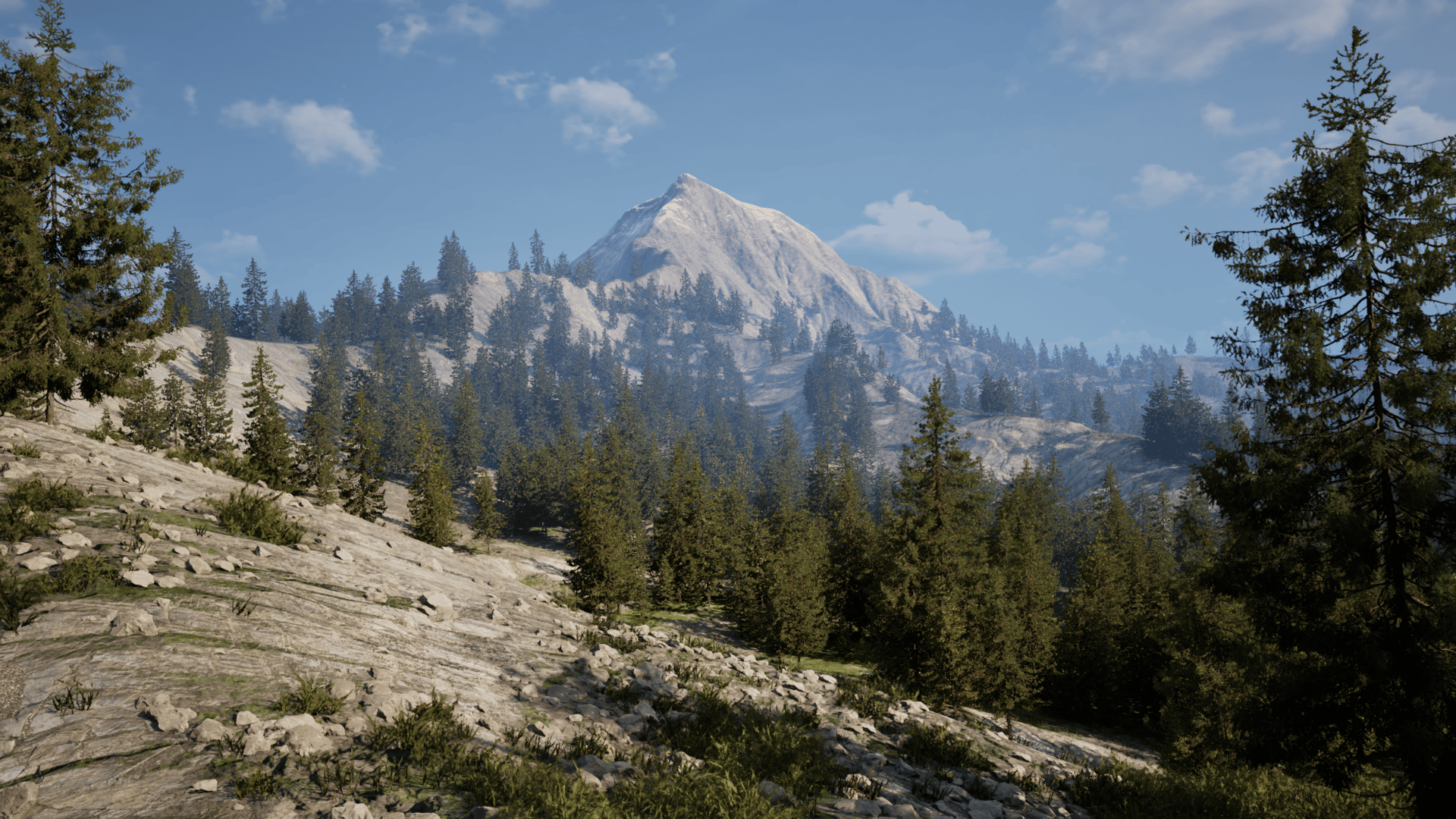
You are no longer only building small optimized scenes. You can think bigger. Large landscapes, open worlds, natural environments, ruins, forests, cinematic locations, and game-ready spaces all become more practical when the pipeline is planned correctly.
But Nanite is still only one part of that pipeline.
You still need to understand how to build terrain, create useful landscape materials, work with vegetation, use PCG properly, manage large worlds, organize assets, and optimize the final scene.
That is the real lesson.
Nanite changed environment creation because it removed many old geometry limitations. But the best results still come from artists who understand both the creative and technical side of world building.
If you want to build better environments in Unreal Engine 5, do not think of Nanite as a shortcut.
Think of it as a tool that lets you focus more on what matters:
- Better shapes
- Better surfaces
- Better worlds
- Better production decisions
And when you use it with a complete environment workflow, it becomes one of the most important tools in Unreal Engine 5.
For artists who want to go deeper into landscapes, open worlds, PCG, vegetation, Nanite, World Partition, and optimized environment creation, the most relevant next step is UE5 World Designer.
Related articles:
- What is the difference between Nanite and Static Mesh?
- How to Build 3D Environments in Unreal Engine 5
Stay connected with news and updates!
Join our mailing list to get the latest Unreal Engine 5 news, updates, and insights from the 3D College team.
We hate SPAM. We will never sell your information, for any reason.
